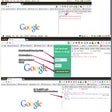
Cloudbleed Indicator: Test CloudFlare Security on Chrome
Cloudbleed Indicator is a useful Chrome add-on developed by Stas Kulesh. This free tool allows users to test any webpage and determine if it is using CloudFlare, a popular content delivery network. Inspired by the February 2017 Cloudbleed security incident, this add-on aims to help users identify potential security risks.
With Cloudbleed Indicator, users can easily check if a webpage is utilizing CloudFlare's services. The add-on features a cloud icon that indicates if the webpage is "bleeding." If the icon is bleeding, it suggests that the webpage might be affected by the Cloudbleed bug.
While Cloudbleed Indicator does not fix the issue, it serves as a valuable warning system. If the cloud icon is bleeding, users are advised to take precautionary measures such as changing their passwords, enabling two-step verification if available, or even considering leaving the site altogether.
Cloudbleed Indicator leverages Google Public DNS (DNS-over-HTTPS) to recognize the presence of the Cloudbleed bug. This ensures accurate and reliable detection of potential security vulnerabilities.
Overall, Cloudbleed Indicator is a handy tool for Chrome users concerned about their online security. It provides a simple and efficient way to test webpages for CloudFlare usage, helping users stay informed and take necessary actions to protect their personal information.